The Makeup Mirror App for Touch-Ups Anywhere
A good makeup mirror needs two things a bathroom mirror rarely has: even light from the front, and magnification. Ring lights and 10× compacts exist to fix exactly that. So does your iPhone — if the app you're using treats the front camera like a mirror rather than a camera.
What makes a mirror good for makeup
- Front light, not overhead light. Overhead bulbs throw shadows under the eyes and nose, which is why bathroom makeup looks different outside. A light that surrounds the camera lights your face evenly.
- Adjustable colour. Warm bulbs make foundation look a shade too yellow. A ring light you can shift between warm and neutral lets you check both.
- Magnification for liner, lashes and brows — 1.5–2× is the sweet spot.
- Hands-free — you need both hands. Prop the phone against a bag, a monitor or a cup, and make sure the screen doesn't go to sleep on you.
Where it actually matters
The office bathroom with one fluorescent tube. The car before dinner. A plane. A festival tent. A hotel room where the only mirror is above a desk lamp. Anywhere you'd normally squint at a compact, a phone with a ring light does a better job.
Tips
- Hold the phone at eye level, not below — up-lighting exaggerates everything.
- Do liner and lashes at 2×, then drop back to 1× to judge the whole face.
- If you're going outdoors, check once more in daylight — no screen matches the sun.
How to do it in Mirrorly
Here's a touch-up in Mirrorly:
- Open Mirrorly and prop the phone up at eye level. Turn on Keep screen awake in settings so it stays on while your hands are busy.
- Tap the light-bulb. The screen edges become a soft ring light around the camera; adjust the warmth in settings.
- Pinch or slide to zoom in for liner, lashes and brows; zoom back out to check balance.
- Close the app. Nothing is photographed — it's a mirror, not a selfie.
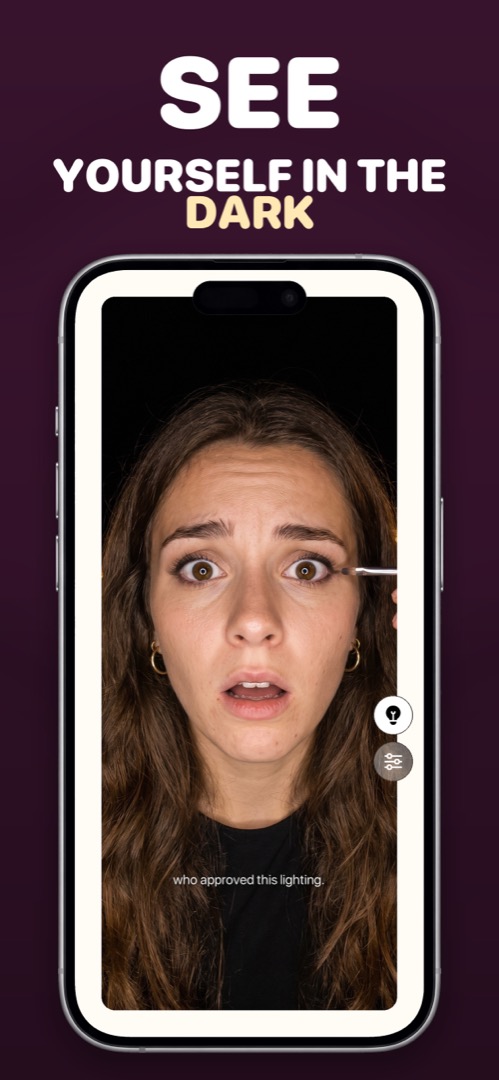
Mirrorly is coming soon to the App Store.
A full-screen iPhone mirror with a ring light, zoom and maximum brightness. Three free checks, then a one-time unlock — no subscription, no photos saved, no account, no ads.