



Quick clean
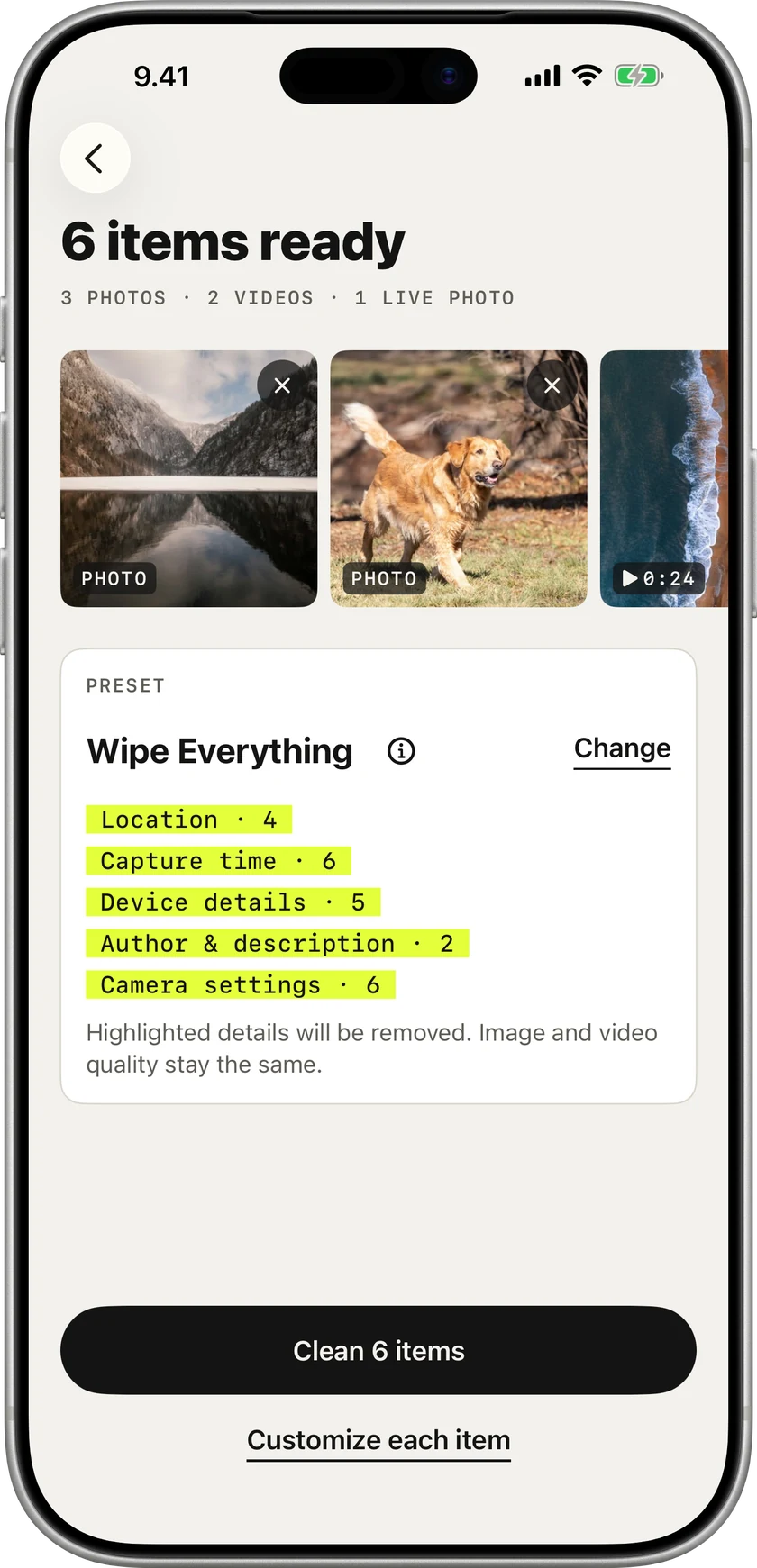
In Wipe or in Photos · about 5 secondsChoose photos in Wipe, or tap Share in Photos and pick Wipe. One preset cleans the whole batch, and you see what goes before you tap Clean.
How Quick clean worksPick photos, videos and Live Photos, see what they really reveal, and clean the whole batch in seconds, from Wipe or straight from Photos. Open every item if you want to decide field by field. All on your iPhone. Your originals never change.
 Coming soon to the App Store
Your iPhone writes where, when and with what into the file. You never see it. Everyone you send it to can.
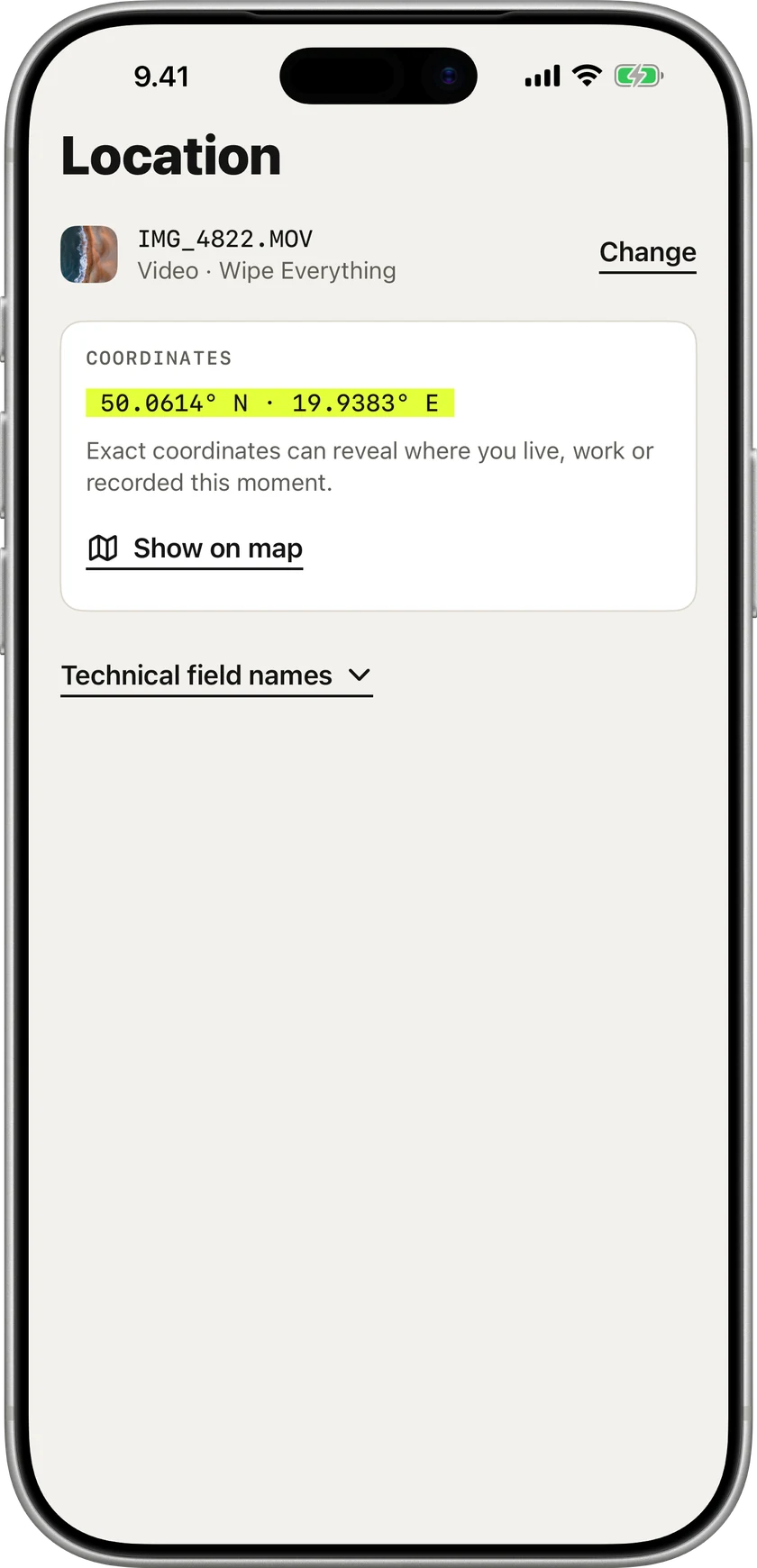
Location, capture time, device, author and editing apps, explained in plain words before anything changes.
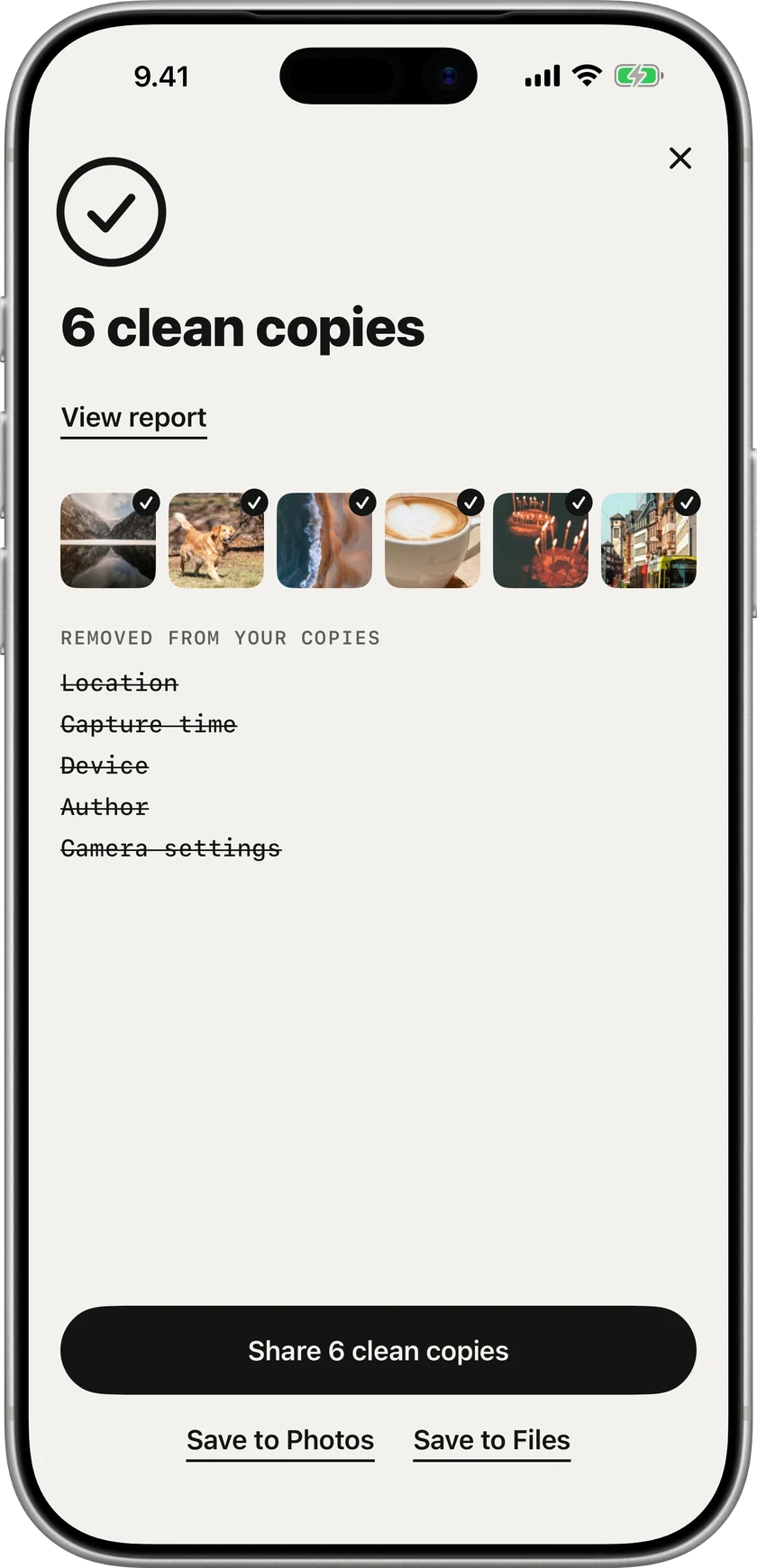
Pick a preset. Wipe removes those details and checks every copy again before you can share it.

Your iPhone writes where, when and with what into the file. You never see it. Everyone you send it to can.
Location, capture time, device, author and editing apps, explained in plain words before anything changes.
Pick a preset. Wipe removes those details and checks every copy again before you can share it.
Share photos. Not your data.
Nothing leaves your iPhone and your originals never change.
Choose photos in Wipe, or tap Share in Photos and pick Wipe. One preset cleans the whole batch, and you see what goes before you tap Clean.
How Quick clean worksTap Customize each item: see every field, pick a preset photo by photo, open the report. Best for listings and documents.
How Full review worksWipe sits in the Share Sheet next to Messages and AirDrop and opens the same Quick Clean as the app: one preset for the whole batch, every photo shown as it is cleaned, then your clean copies. Cleaning from the Share Sheet is part of Wipe Pro.
Up to 20 items at a time. Live Photos and videos that need a new compressed copy continue in Wipe.
Need to see what’s inside first?Full review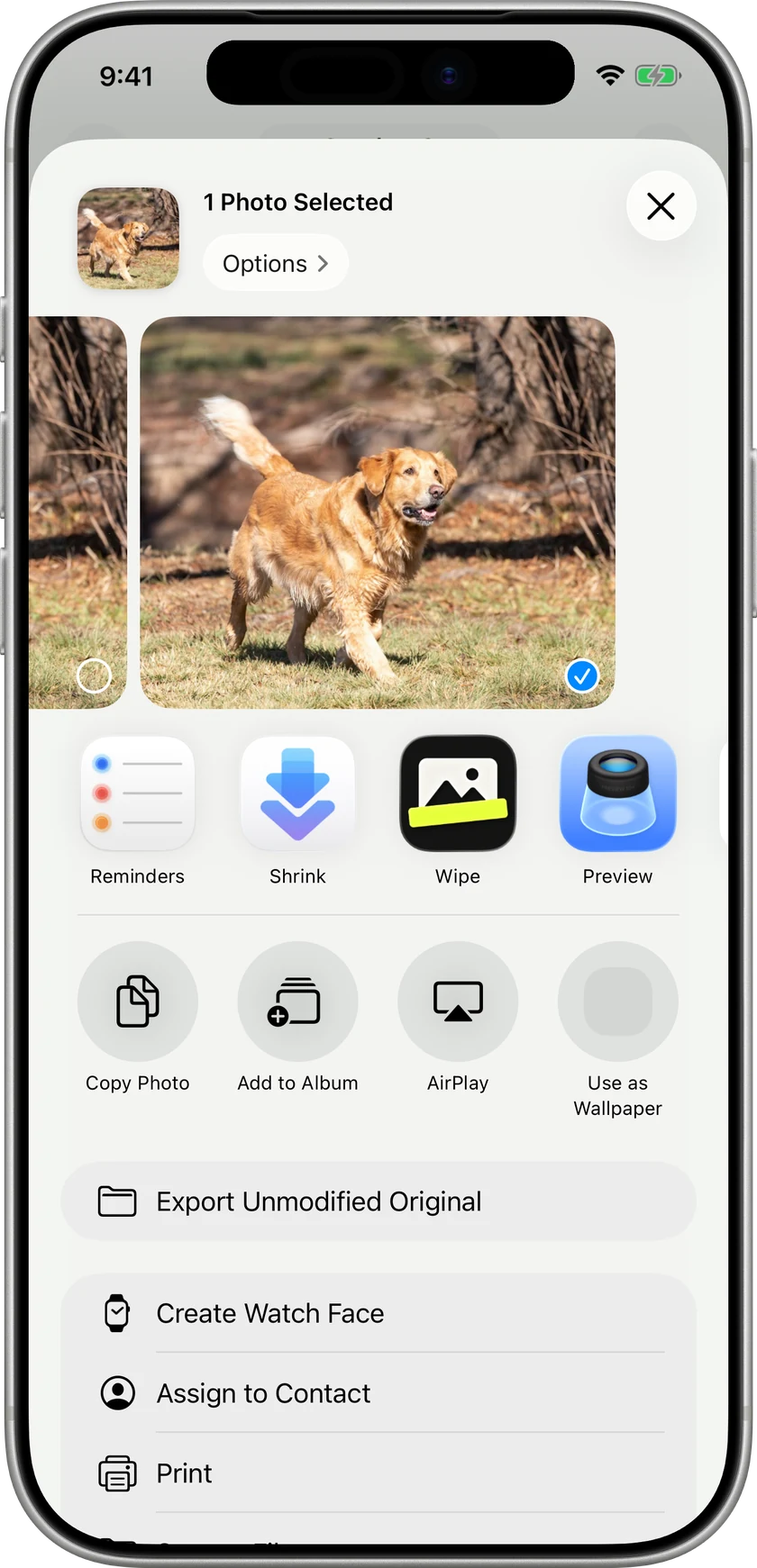
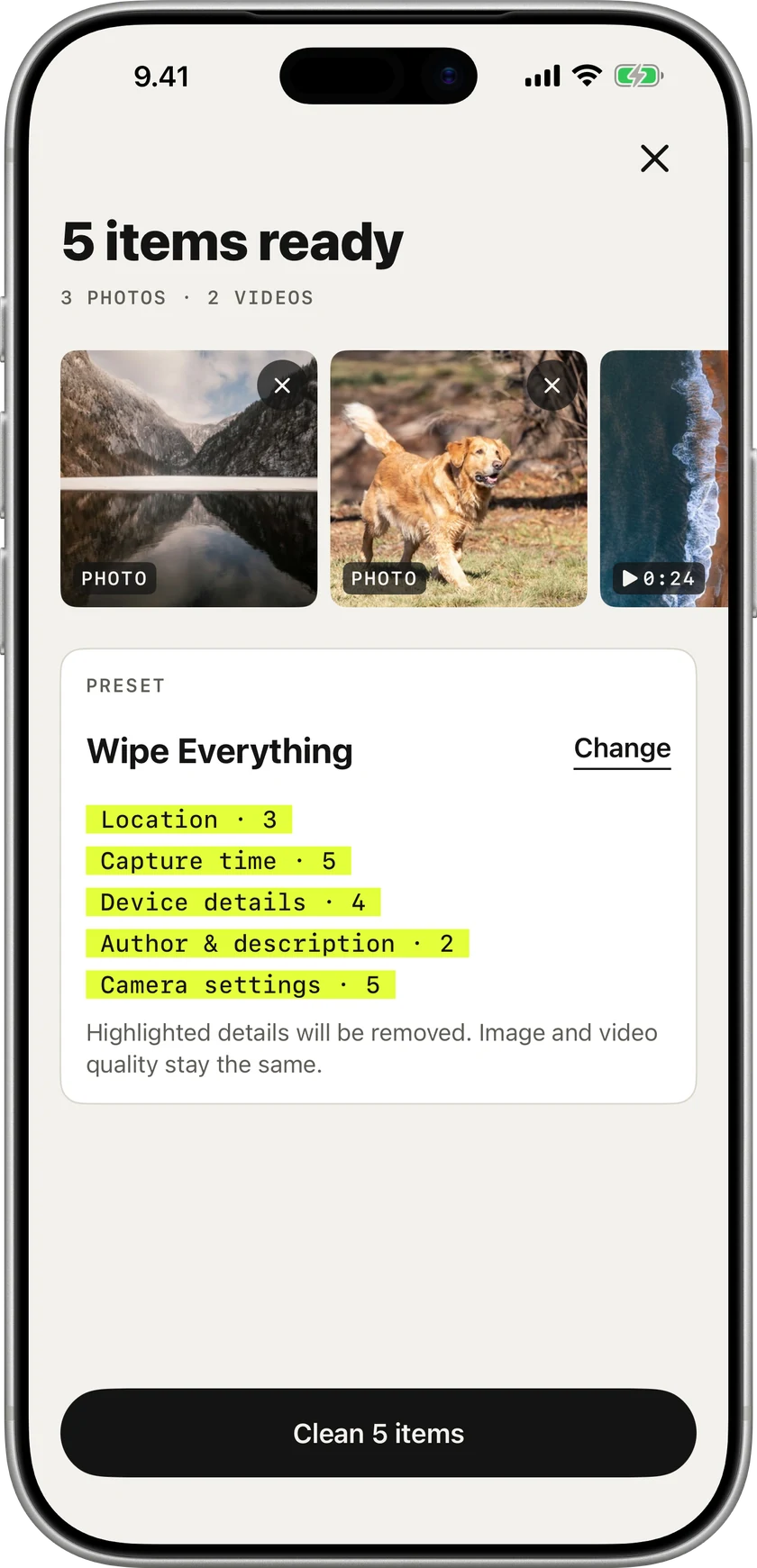
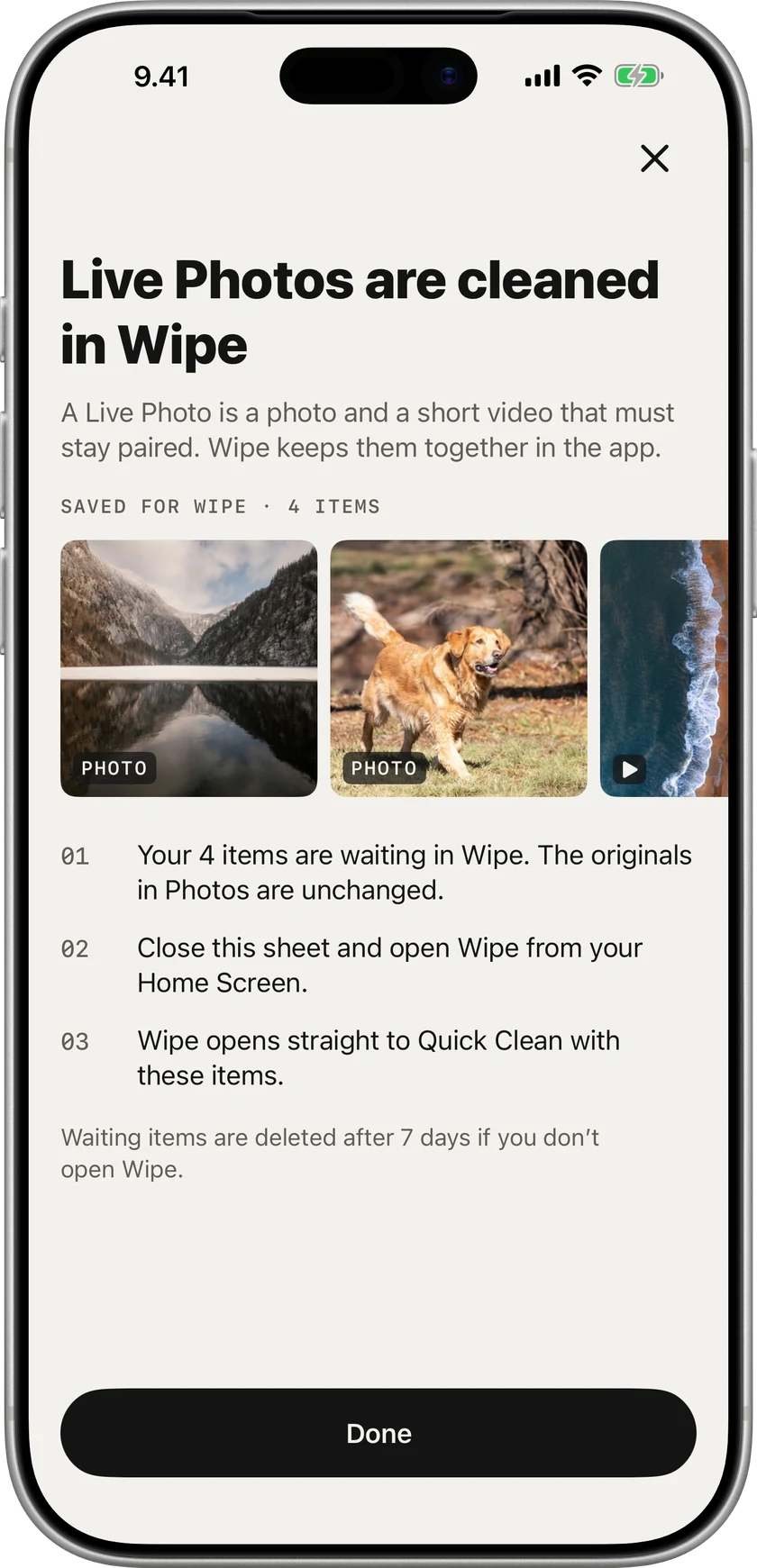
Live Photos, videos that need a new compressed copy and selections of more than 20 items continue in Wipe. The Share Sheet shows what was saved, why it moved over and what happens next.
Waiting items are deleted after 7 days if you don’t open Wipe.
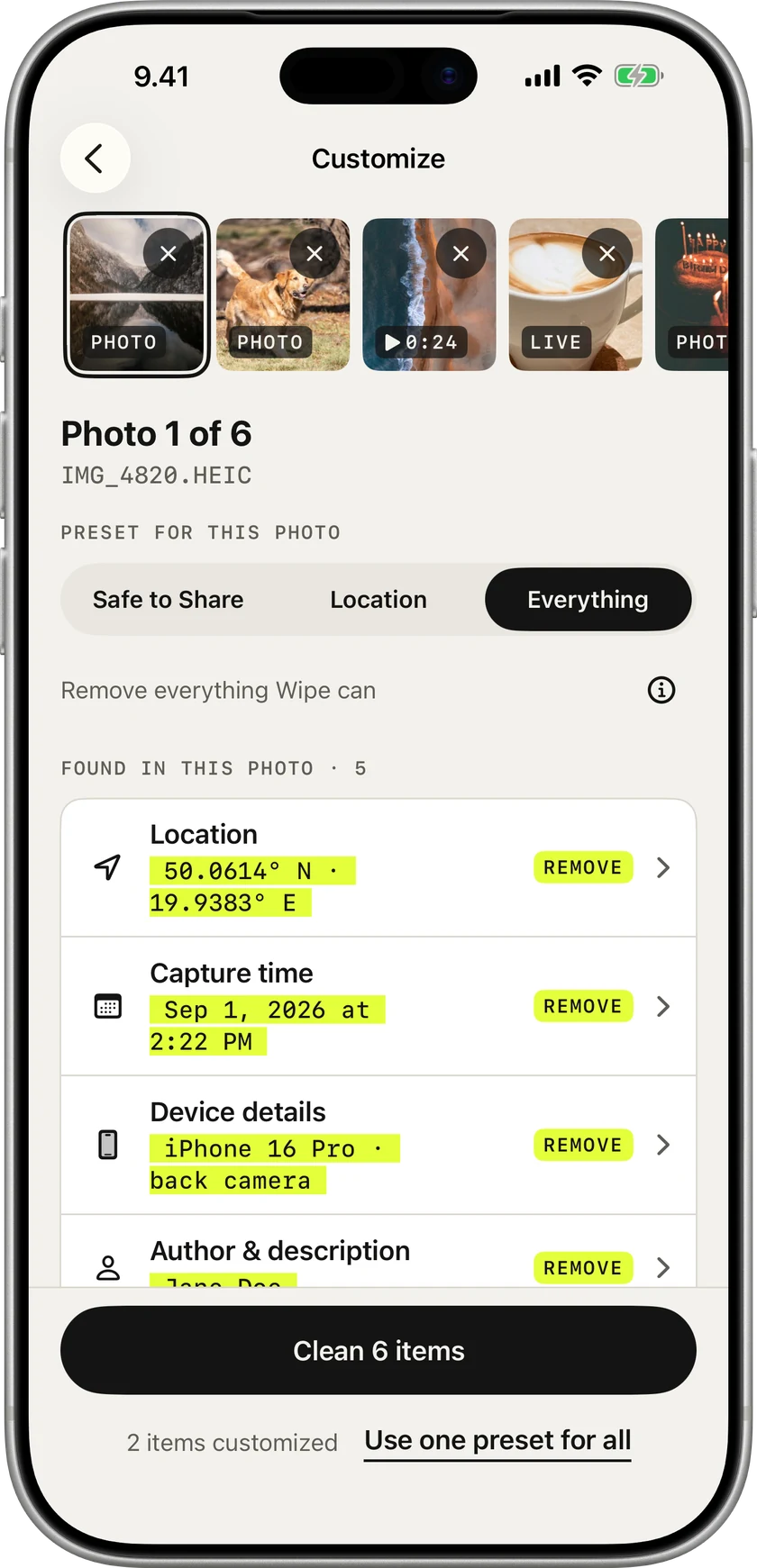
Photos, videos and Live Photos together
And pick what goes, photo by photo
Every copy verified before you share
Start with Wipe Everything, the default, or change the default in Settings and tune it for a single photo when you need to. You see exactly what changes before you clean.
Everything that identifies you or where you were.
Hide where it was taken, keep the rest.
The cleanest possible copy.
Most metadata removers save a new, recompressed copy. Wipe rewrites only the hidden details, copies your photo and video data as it is, then checks that it really is.
When a file can’t be copied as it is, Wipe tells you before it creates a new encoded version. Never silently.
No subscription, no account, no ads.
Something else? Visit support
See what your photos reveal and remove it before sharing. Your first three cleans are free, then one purchase, no subscription.
Coming soon to the App Store