How to Check How You Look Before a Meeting (In Under 10 Seconds)
The meeting's in two minutes and the last mirror you passed was at home. This is the checklist people who always look put-together run without thinking — and how to run it on your phone from your desk, the car park or the corridor.
The 10-second checklist
- Hair — anything sticking up at the crown, the parting, the front.
- Face — sleep in the eyes, anything on or in the nose, a shaving nick.
- Teeth — smile wide. This is the one everyone skips and everyone else notices.
- Glasses — smudges show up under office lighting.
- Collar and tie / neckline — collar points flat, tie knot centred, no label showing.
- Shoulders — lint, hair, dandruff. Brush off with your hand.
Run it top to bottom, the same order every time, and it genuinely takes under ten seconds.
Before a video call specifically
The laptop webcam is a poor mirror — low resolution, wrong angle, and by the time you can see yourself you're already in the room with everyone. Do the check on your phone before you click Join. Two extra items for calls: make sure the light is in front of you rather than behind (a window behind you turns you into a silhouette), and raise the laptop so the camera is at eye level.
Why a phone beats hunting for a mirror
It's already in your hand, it works in a dim corridor or a car, and with zoom you'll catch the things a wall mirror at two metres never would. The only thing to avoid is doing it in the Camera app and accidentally photographing yourself mid-grimace.
How to do it in Mirrorly
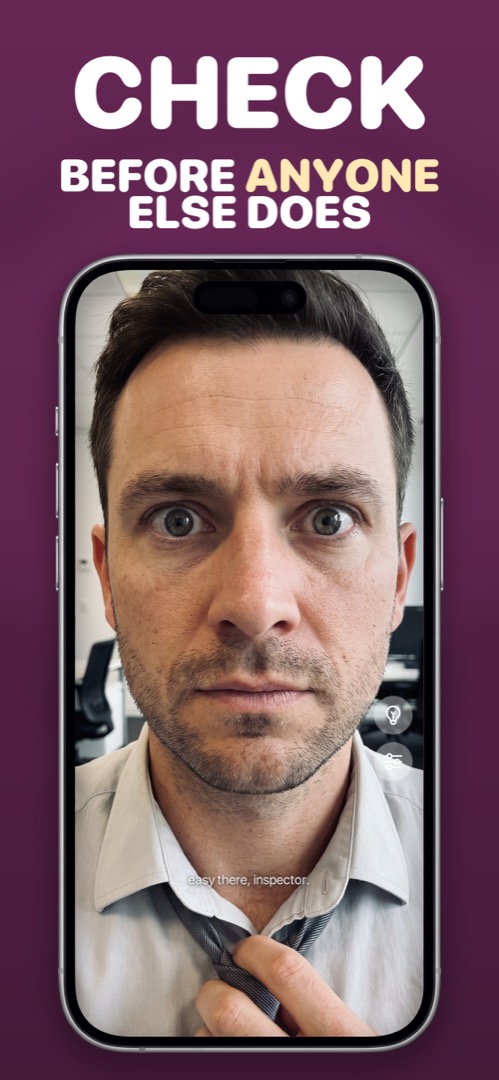
With Mirrorly the checklist is one app open, one app close:
- Open Mirrorly. Full-screen mirror, maximum brightness, no shutter to hit.
- Run the checklist top to bottom: hair, face, teeth, glasses, collar, shoulders.
- Slide to zoom for the teeth check; tap the light-bulb if you're in a dim corridor or car.
- Close it and walk in. Nothing was saved.
Mirrorly is coming soon to the App Store.
A full-screen iPhone mirror with a ring light, zoom and maximum brightness. Three free checks, then a one-time unlock — no subscription, no photos saved, no account, no ads.